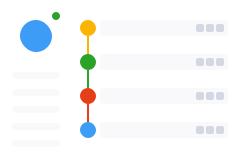
In this section, you can work with your contacts: clients, customers etc.
wt-start-page.vue | Name | Required | Types | Default | Description | Example | Deprecated |
|---|---|---|---|---|---|---|
nav |
✅ | Array |
- | |||
appLogo |
✅ | AppLogo |
- | |||
darkMode |
boolean |
false |

In this section, you can work with your contacts: clients, customers etc.
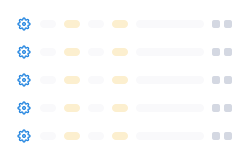
In this section, you will set up the Case management process.
<template>
  <wt-start-page :app-logo="logo" :dark-mode="false" :nav="nav" />
</template>

<script setup>
import ConfigurationDark from '../assets/configuration-section-dark.svg';
import ConfigurationLight from '../assets/configuration-section-light.svg';
import ContactsDark from '../assets/contacts-section-dark.svg';
import ContactsLight from '../assets/contacts-section-light.svg';
import StartLogoDark from '../assets/start-page-logo-dark.svg';
import StartLogoLight from '../assets/start-page-logo-light.svg';

const logo = {
  light: StartLogoLight,
  dark: StartLogoDark,
};

const nav = [
  {
    value: 'contacts',
    name: 'Contacts',
    text: 'In this section, you can work with your contacts: clients, customers etc.',
    images: {
      light: ContactsLight,
      dark: ContactsDark,
    },
  },
  {
    value: 'configuration',
    name: 'Configuration',
    text: 'In this section, you will set up the Case management process.',
    images: {
      light: ConfigurationLight,
      dark: ConfigurationDark,
    },
  },
];
</script>